![Targomo-logo-email-logo-template.png]](https://info.targomo.com/hs-fs/hubfs/Targomo-logo-email-logo-template.png?height=40&name=Targomo-logo-email-logo-template.png)
TargomoLOOP lets you add locations in three built-in categories — Existing, Potential, and Competitor — so you can visualise your network, run analyses, and simulate changes with clarity.
Targomo provides three pre-defined location types:
-
Existing Network Locations
-
Potential Locations
-
Competitor Locations
You can add a location to any of these categories using the following steps:
-
Use the search bar at the top of the screen to find an address or click on the desired location on the map.
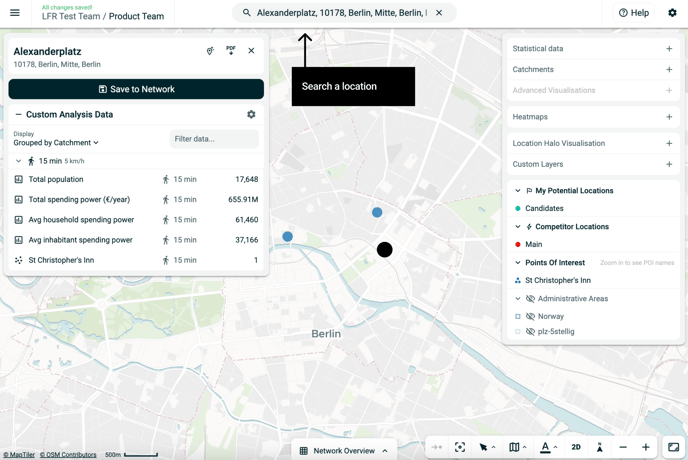
or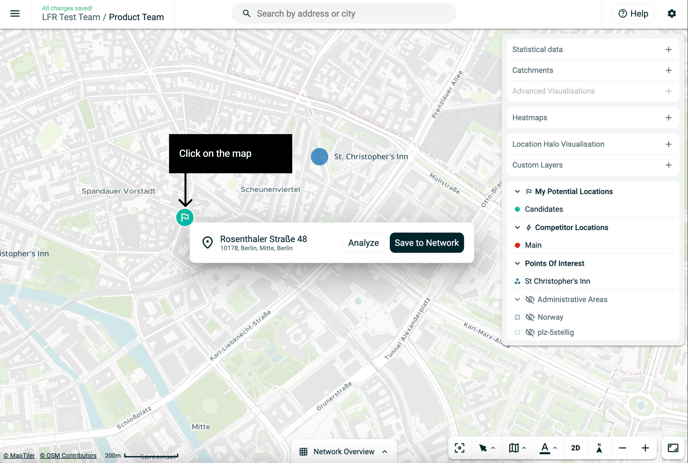
-
Click on Save to Network.
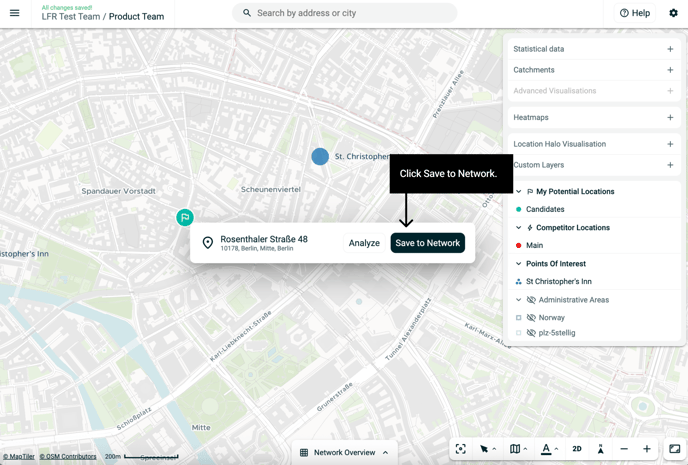
-
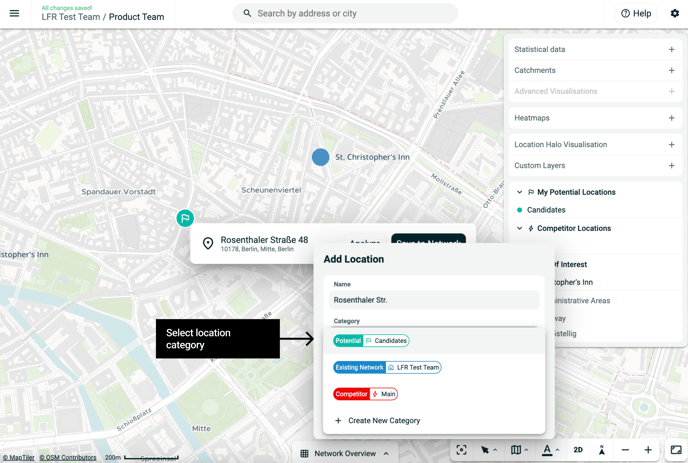
In the popup:
Enter a name for your location
Select category from the dropdown:
-
Existing location -
Potential location -
Competitor location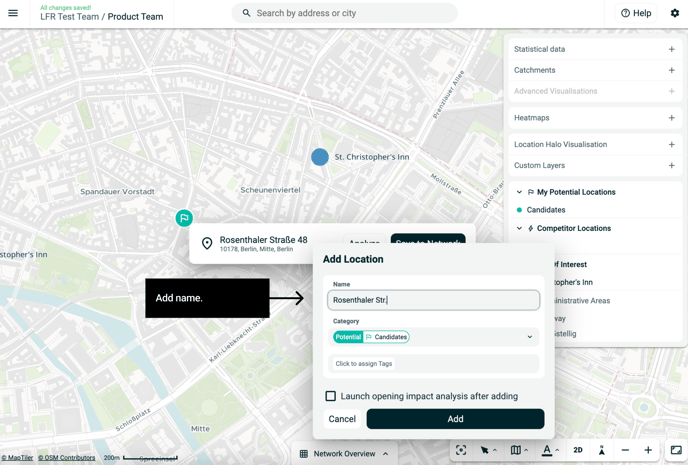
-
-
Click Add.
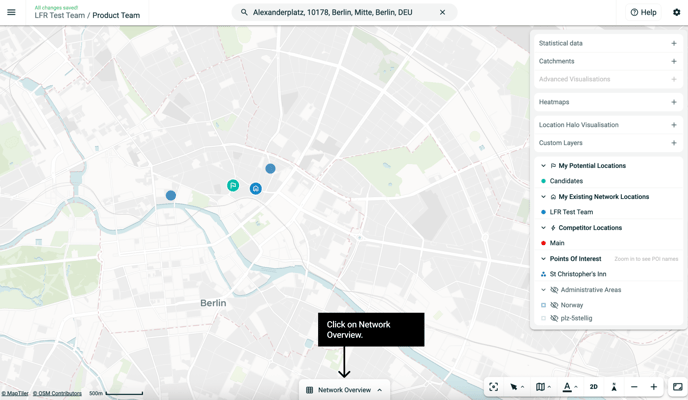
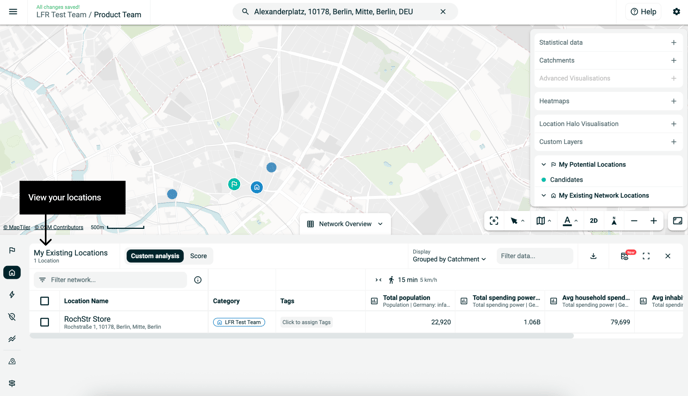
- View added location the Network Overview section.
Categorizing your locations helps you:
-
Benchmark potential sites against existing ones
-
Run cannibalisation or expansion analysis.