![Targomo-logo-email-logo-template.png]](https://info.targomo.com/hs-fs/hubfs/Targomo-logo-email-logo-template.png?height=40&name=Targomo-logo-email-logo-template.png)
What are categories for?
In TargomoLOOP, you will find two types of categories: "My Network" categories and "Competitor" categories.
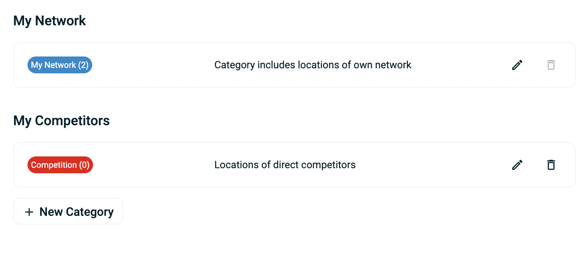
As their names indicate it, one is used to list your own location network; in the other, you can list your competitors.
They have fundamentally different behaviours:
| Category type | My Network | My Competitors |
| Use | Add your own brands and locations to be able to analyse them in depth | Add your competitors, mainly to understand their cannibalisation effect |
| Do locations in these categories cannibalise other locations? | Yes | Yes |
| Can I analyse these locations? | Yes | Only partially - no cannibalised results will be displayed and these locations cannot be compared |
| How many locations can I create for each category type? | Defined by your LOOP plan | 10 times as many as "My Network" |
Create new categories
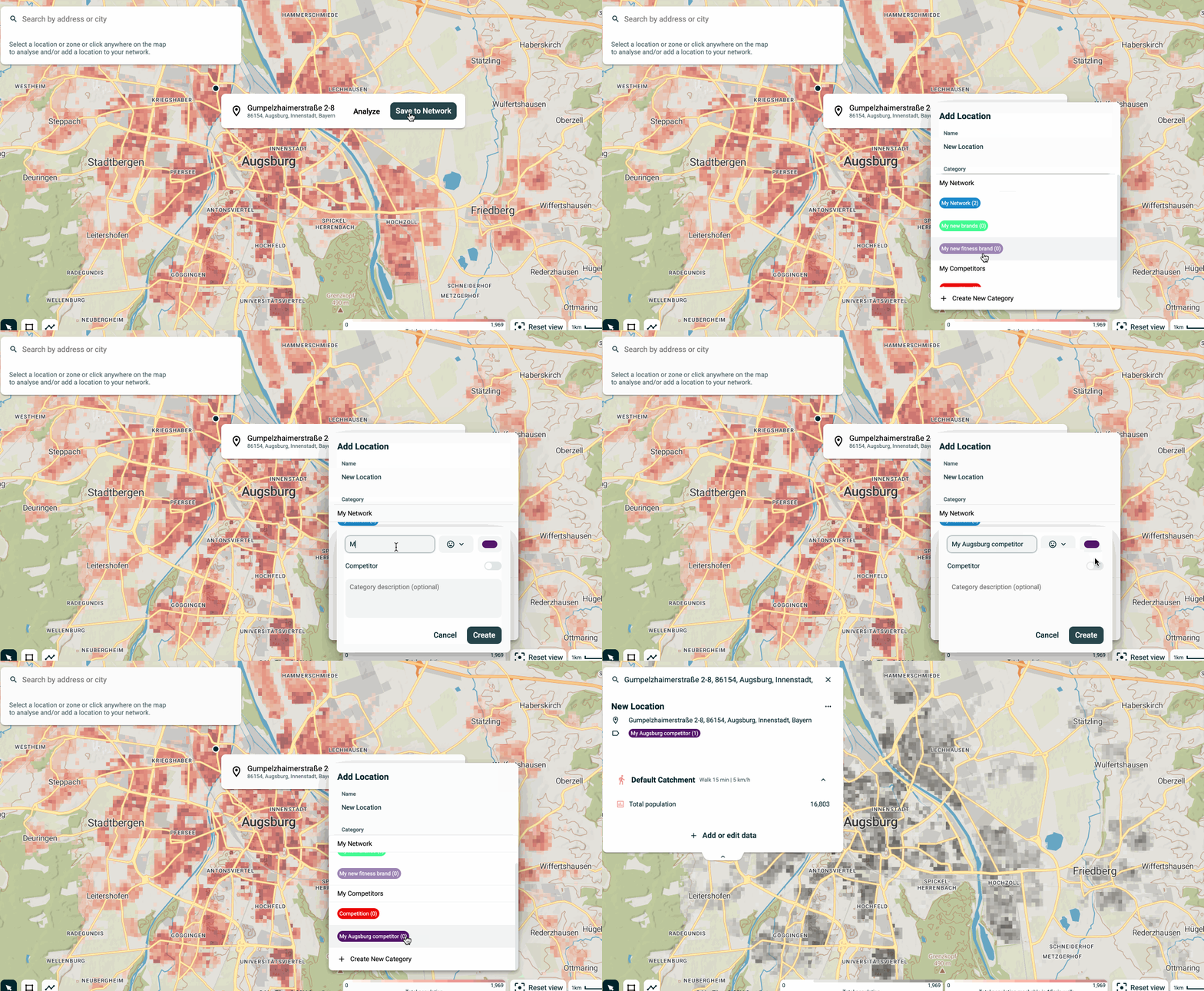
By default, there will be 2 categories in LOOP. However, you can create more. To do so, simply hit "Create new category" when creating a new location or head to the Settings
Manage categories
To edit or delete categories, go to the settings and click on the Categories tab