![Targomo-logo-email-logo-template.png]](https://info.targomo.com/hs-fs/hubfs/Targomo-logo-email-logo-template.png?height=40&name=Targomo-logo-email-logo-template.png)
Step 1: Create a custom data field
- Go to Settings
- Click on the Location data tab
- Click on “Add new location data field”
- Enter a name (e.g., Google Ratings)
- Toggle ON Performance data
- This allows usage in correlation
- Click Create
You will now see the new field added to your project.
Step 2: Upload locations with custom data
- Go to Settings → Location upload
- Click on the Upload icon
- Upload a file containing:
- Name
- Address or Latitude/Longitude
- Your custom field (e.g., Google Ratings)
Step 3: Map and import data
- The platform will detect columns from your file
- Drag and drop to map them to the matching fields.
- Select a location category
- Click Import
Step 4: Verify the data
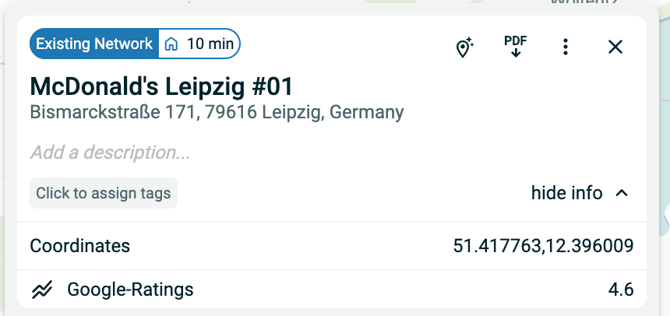
- Open any imported location
- You will see the custom field (e.g., Google Ratings) in the details