![Targomo-logo-email-logo-template.png]](https://info.targomo.com/hs-fs/hubfs/Targomo-logo-email-logo-template.png?height=40&name=Targomo-logo-email-logo-template.png)
A new Nearby locations widget lets you show locations or POIs within a selected catchment.
Open the widget settings, go to Nearby locations, choose a catchment, and select the locations or POIs you want to include.
You can also rename the list; by default, it is called “Nearby locations.”
Open the widget settings, go to Nearby locations, choose a catchment, and select the locations or POIs you want to include.
You can also rename the list; by default, it is called “Nearby locations.”
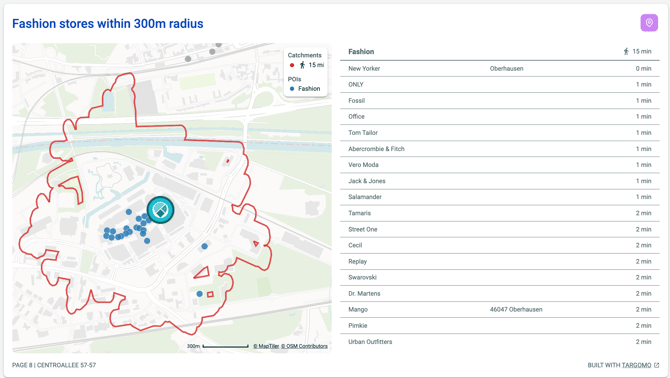
For radius catchments, the widget shows the distance from the selected location to each nearby location or POI.
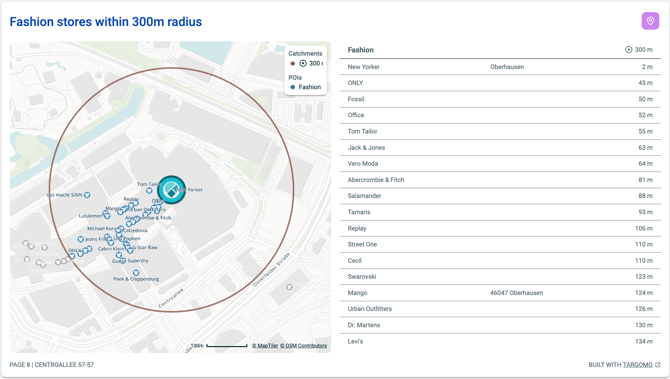
For travel-time catchments such as walking or driving, it shows the travel time instead.