![Targomo-logo-email-logo-template.png]](https://info.targomo.com/hs-fs/hubfs/Targomo-logo-email-logo-template.png?height=40&name=Targomo-logo-email-logo-template.png)
- Go to the Dashboard
- Find the project you want to open
- Click on the 3 dots menu
- Click on “Open in read-only mode”
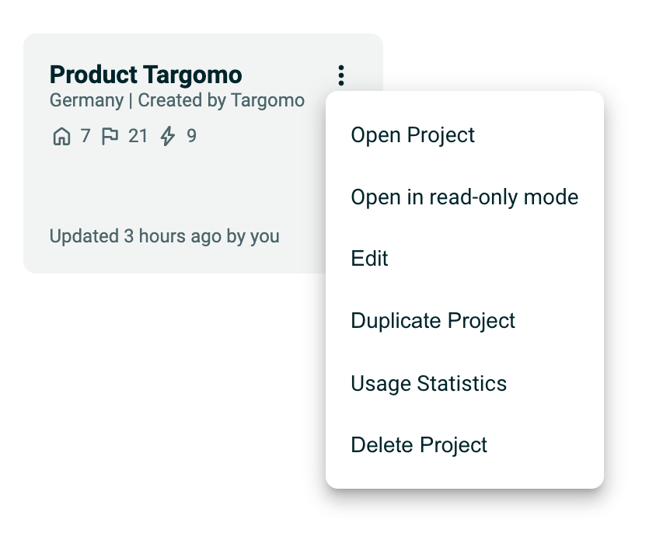
What is read-only mode?
Read-only mode allows you to:
- View all locations, data, and analysis
- Explore maps, charts, and reports
But you cannot:
- Add or delete locations
- Edit data or settings
- Run simulations or modify analysis
When should you use read-only mode?
- Reviewing a project without risking changes
- Sharing analysis internally for feedback
- Presenting insights to stakeholders
- Checking data without affecting ongoing work